


Chop Contest


HCF Member
Joined: Sep 2007
Posts: 1,210

Which decals? the ones on the window and fender or the big fast and furious vinyl on the side?
Either way, they were put on with photoshop for starters if you dont use that this wont mean anything.
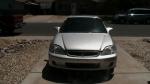
-the window stickers: once they are cut out to be just the decal you want on the window. I use the free transform (ctrl+t) to warp/shape them to fit what should be the angle of the window. Once that is done I play with the contrast/brightness, until they look to the eye like they match with the window they are on. Usually taking both the contrast and the brightness negative just a bit.
-body stickers: again its contrast/brightness with the addition of using a very feint soft brush to highlight or shade the sticker to match the body of the car. In the case of the greddy sticker, I took an almost transparent soft white brush to the top half of the sticker making it match the cars highlight.
-body vinyl: personally this one didn't turn out that well but...I adjusted the transparency to almost half on this layer. Then took a soft white and black brush at a low transparency to shade the sticker and highlight to match the body.
***Edit...also use the free transform to make the vinyl curve to the shape of the body as much as needed.
If the question wasn't directed at me, then nevermind and I am a retard...if it was, I hope this explanation helps
Either way, they were put on with photoshop for starters if you dont use that this wont mean anything.
-the window stickers: once they are cut out to be just the decal you want on the window. I use the free transform (ctrl+t) to warp/shape them to fit what should be the angle of the window. Once that is done I play with the contrast/brightness, until they look to the eye like they match with the window they are on. Usually taking both the contrast and the brightness negative just a bit.
-body stickers: again its contrast/brightness with the addition of using a very feint soft brush to highlight or shade the sticker to match the body of the car. In the case of the greddy sticker, I took an almost transparent soft white brush to the top half of the sticker making it match the cars highlight.
-body vinyl: personally this one didn't turn out that well but...I adjusted the transparency to almost half on this layer. Then took a soft white and black brush at a low transparency to shade the sticker and highlight to match the body.
***Edit...also use the free transform to make the vinyl curve to the shape of the body as much as needed.
If the question wasn't directed at me, then nevermind and I am a retard...if it was, I hope this explanation helps


Thread
Thread Starter
Forum
Replies
Last Post
