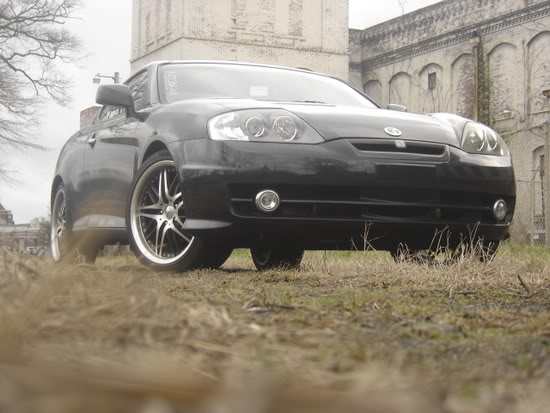
my attempt to cartoonize my car


Thread Starter
|
Moderator
Joined: Jul 2005
Posts: 5,802
 my attempt to cartoonize my car
This is the first time i've ever tried to cartoonize my car. It took a little time to find out the right tools to use but once i got them, it wasnt too hard. I didnt do the interior because its pretty hard and i dont want to spend a lot more time on it, this proly took a lil over an hour and a half to do....let me know wut u think.
Before:
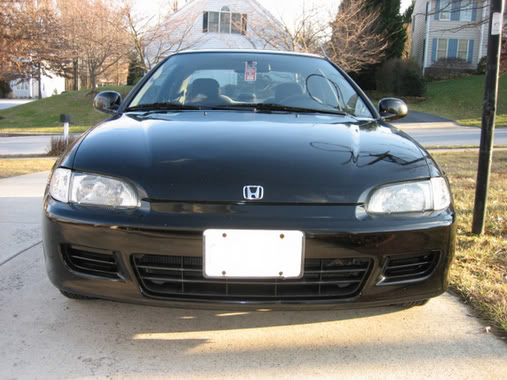
After:

I know its not the best but because i dont have much experience with photoshop i figure its pretty decent.
Before:
After:
I know its not the best but because i dont have much experience with photoshop i figure its pretty decent.


Thread Starter
|
Moderator
Joined: Jul 2005
Posts: 5,802
RE: my attempt to cartoonize my car
theres a way to use layers to make it look better and easier but i dunno how to use it yet...
1) i suggest finding a picture that dosnt have to many shadows or lines because then u have more to deal with...
2) pick the "Airbrush tool (J)" and set it to the thickness u want it to be and make sure the color is black.
3) zoom into the picture and start to trace over the lines and cracks of the car. (ex: the small crack between the fender and hood)
4) after ur done with that, pick the "Lasso tool (L)" and create a set area to color in
5) then use the "Eyedropper tool (I) and pick a color within the area u set with the lasso tool
6) then use the "Gradient tool (G)" to set the color in the area thus making it turn into a smooth even color
thats how i did but i found another way to do it online but im not really familiar on how to do it that way...
1) i suggest finding a picture that dosnt have to many shadows or lines because then u have more to deal with...
2) pick the "Airbrush tool (J)" and set it to the thickness u want it to be and make sure the color is black.
3) zoom into the picture and start to trace over the lines and cracks of the car. (ex: the small crack between the fender and hood)
4) after ur done with that, pick the "Lasso tool (L)" and create a set area to color in
5) then use the "Eyedropper tool (I) and pick a color within the area u set with the lasso tool
6) then use the "Gradient tool (G)" to set the color in the area thus making it turn into a smooth even color
thats how i did but i found another way to do it online but im not really familiar on how to do it that way...

Thread Starter
|
Moderator
Joined: Jul 2005
Posts: 5,802
RE: my attempt to cartoonize my car
i kno with more time, practice, and better knowledge of photoshop that i should be able to make it look cleaner and better, but for now im happy with the outcome
o and also, i suggest using a lazer mouse because i did this with a ball mouse and its pretty hard to make a straight line with this p.o.s..
o and also, i suggest using a lazer mouse because i did this with a ball mouse and its pretty hard to make a straight line with this p.o.s..