


S2000 chop contest


HCF Member
Joined: Aug 2006
Posts: 1,308
From:
 RE: S2000 chop contest
ORIGINAL: badb0ybilly
and after i go and say that.. /\
my creativity dwindles. this is what i came up with
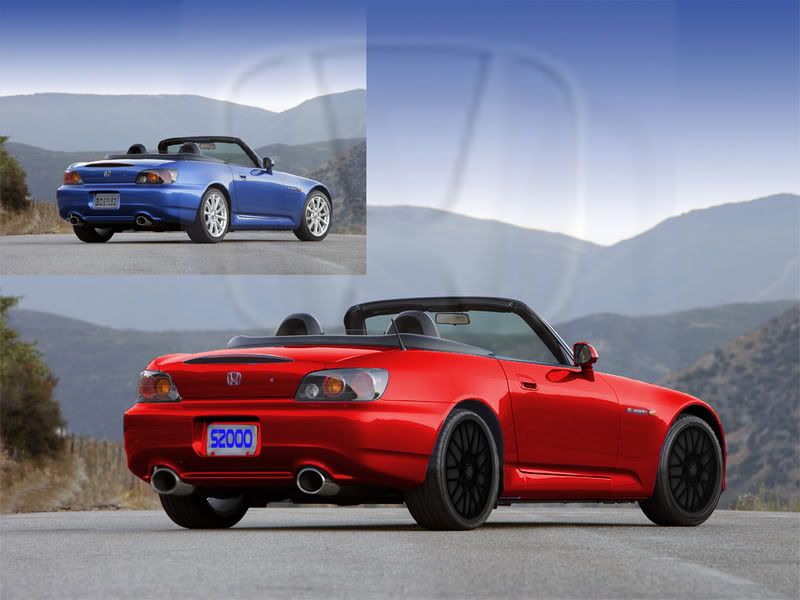
its boring i know. im sorry
and after i go and say that.. /\
my creativity dwindles. this is what i came up with
its boring i know. im sorry

HCF Member
Joined: Jan 2007
Posts: 397
From:
RE: S2000 chop contest
do you have photoshop?
(im going to assume you answered yes instead of waiting for a reply)
ok. bring the car into photoshop. then you can do one of a few different things. the easiest way is to use the magnetic lasso tool to lasso around the parts of the car you want to change the color of. (dont worry about doing it all at one time.. explaination > . if at any time while you're lassoing, you mess up and you select something you didnt want to select or you didnt select an area you wanted to. dont panic. just keep going. you can go back later and select more by holding the shift key when you click. or you can deselect an area by holding the alt key and then dragging around that area. (this process can take some time if you want to get it perfect)
the other way you could do it is to use the magic wand tool. the magic wand tool is a selection tool that selects all connected pixels within a certain range of the color of the pixel you click. you can change the tolerance of the magic wand tool to select more pixels at a time.(but be careful. if you set the tolerance too high, it might select way more than you planned to)
your best bet is to do a general outline of the car with the magnetic lasso tool and then go back to the regular lasso tool and touch up some of the areas that the magnetic lasso tool missed or got too much of.
once you have everything that you want to color change selected. go to the image menu. then go down to adjustments. then go down to hue/saturation. this will open a window with 2 adjustable horizontal slider bars. one is for saturation. and one is for hue. hue is the color of the selection and saturation is basically the intensity of the color. on the bottom right hand corner of the hue/saturation window there is a checkbox that says colorize. check that box. then mess around with the hue and saturation slide bars until you get the color you're looking for.
this way the finish of the car stays the same (i.e. the shadows and shines) but the color changes.
the one drawback of this method, is that you cannot make the car white or black. for that you would need to mess with the brightness/contrast. also found in the "image/adjustments" menu.
hope this helped.
(im going to assume you answered yes instead of waiting for a reply)
ok. bring the car into photoshop. then you can do one of a few different things. the easiest way is to use the magnetic lasso tool to lasso around the parts of the car you want to change the color of. (dont worry about doing it all at one time.. explaination >
. if at any time while you're lassoing, you mess up and you select something you didnt want to select or you didnt select an area you wanted to. dont panic. just keep going. you can go back later and select more by holding the shift key when you click. or you can deselect an area by holding the alt key and then dragging around that area. (this process can take some time if you want to get it perfect) the other way you could do it is to use the magic wand tool. the magic wand tool is a selection tool that selects all connected pixels within a certain range of the color of the pixel you click. you can change the tolerance of the magic wand tool to select more pixels at a time.(but be careful. if you set the tolerance too high, it might select way more than you planned to)
your best bet is to do a general outline of the car with the magnetic lasso tool and then go back to the regular lasso tool and touch up some of the areas that the magnetic lasso tool missed or got too much of.
once you have everything that you want to color change selected. go to the image menu. then go down to adjustments. then go down to hue/saturation. this will open a window with 2 adjustable horizontal slider bars. one is for saturation. and one is for hue. hue is the color of the selection and saturation is basically the intensity of the color. on the bottom right hand corner of the hue/saturation window there is a checkbox that says colorize. check that box. then mess around with the hue and saturation slide bars until you get the color you're looking for.
this way the finish of the car stays the same (i.e. the shadows and shines) but the color changes.
the one drawback of this method, is that you cannot make the car white or black. for that you would need to mess with the brightness/contrast. also found in the "image/adjustments" menu.
hope this helped.
HCF Member
Joined: Jan 2007
Posts: 397
From:
RE: S2000 chop contest
you're very welcome. the best advice i can give you is to just use photoshop. use it all the time. the only way to learn a progran as complex as photoshop is to experiment. if you have any more specific questions. just post. or ask someone like darksidepres. he's amazing.

Thread Starter
|
HCF Member
Joined: Jul 2005
Posts: 7,994
From: Rochester, NY
RE: S2000 chop contest
ORIGINAL: badb0ybilly
good chop. very real looking. but it doesnt look like you really did much. lowered, spoiler, rims. moved the emblem down.. and the exhaust.. idk. i really like it, but i think it coulda been more creative.
but overall. looks real good.
good chop. very real looking. but it doesnt look like you really did much. lowered, spoiler, rims. moved the emblem down.. and the exhaust.. idk. i really like it, but i think it coulda been more creative.
but overall. looks real good.
also, your signature is too big




Joined: Jun 2006
Posts: 71
From:
RE: S2000 chop contest
ORIGINAL: 98civicsedan
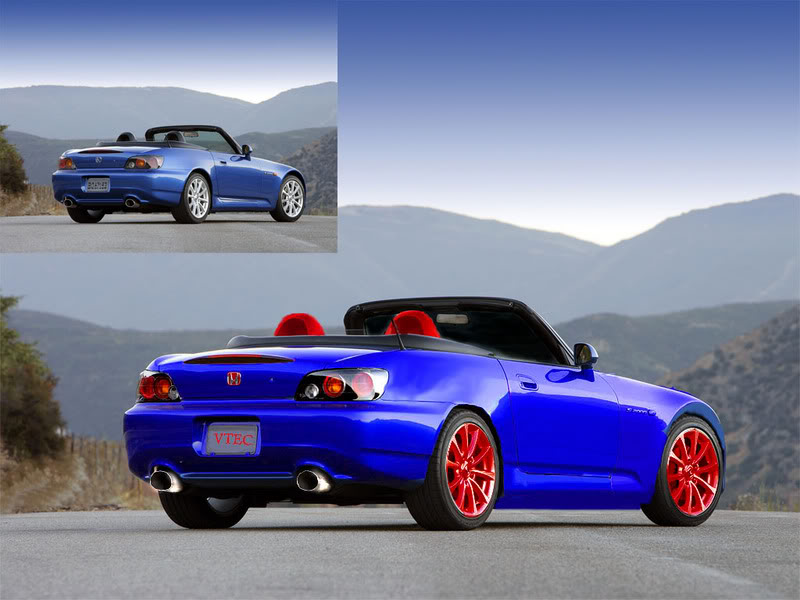
weird color combinations but it works,.. nice!
im not bein a smart@$$ but do they make vtec S2000s?? jw
weird color combinations but it works,.. nice!
im not bein a smart@$$ but do they make vtec S2000s?? jw
heres mine, enjoy
[IMG]local://upfiles/11691/8A0039252C7C48809ACD209F5BCC6AE7.jpg[/IMG]
