


Chop Contest


Sir Banned-a-lot
Joined: Jan 2009
Posts: 2,602
From: Pittsburgh, PA

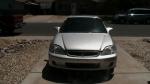
i was just making a new layer, filling it the color, turning down the opacity and eracing the outlines and then setting the layer to soft lighting and it looks half decent haha
edit: not sure about gimp but in photoshop, just use the lasso tool to outline the car except the wheels, then just copy and paste on new layer and drag it down!
edit: not sure about gimp but in photoshop, just use the lasso tool to outline the car except the wheels, then just copy and paste on new layer and drag it down!

Thread Starter
|
HCF Member
Joined: Oct 2009
Posts: 336
From: Dryden, New York
yeah, that's what i do, except i cut out the body, not the wheels, and copy it. then use the lasso tool to grap the wheels, and under shadow and such and move it UP, then PASTE the body on top so it's tucked under

HCF Member
Joined: Jul 2008
Posts: 3,428
From: Pueblo, CO
Another Fun one........ I made this one over satureated and overall too colorful... but I wanted something different, i also used cartoon filter on it like Mitch did.

Last edited by NIKE H34D; Nov 26, 2009 at 05:59 AM.
